Why limit purchase quantities?
Prevent resellers from clearing your stock
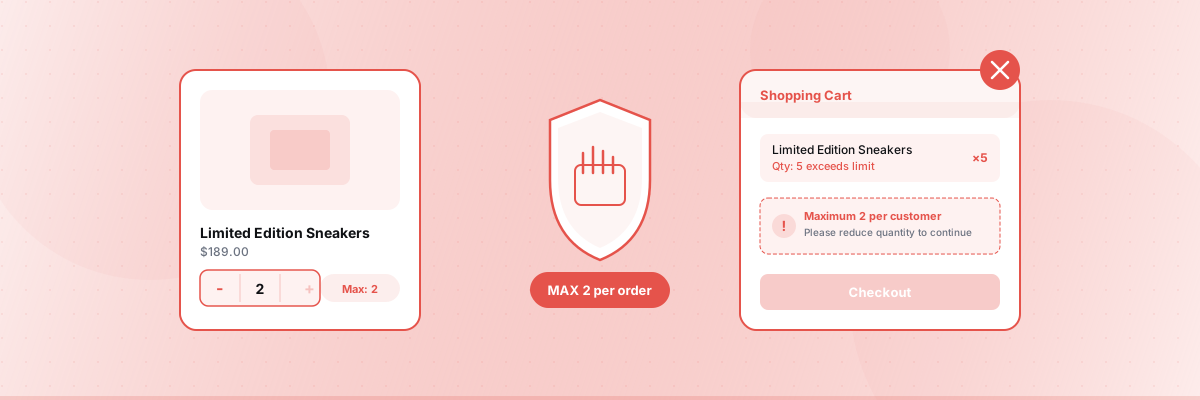
Resellers use bots and multiple orders to buy entire product runs, then flip them at markup. A maximum of 1-2 per customer ensures more of your actual customers can buy.
Fair access for limited releases
Sneaker drops, designer collaborations, event tickets, seasonal collections — when supply is limited, you need to spread it across more customers.
Control free sample and promotional items
Offering free products? Without limits, a single customer could order hundreds. Set a maximum of 1-2 to spread samples fairly.
Protect digital product licensing
Selling digital goods like license keys, downloadable courses, or software? Limit to 1 per customer to prevent redistribution.
Manage inventory for high-demand items
If a product is selling fast and you want to avoid stockouts before more customers can buy, temporarily cap quantity per order.
Method 1: Using an app Recommended
- 1
Install Nex Minimum Order Amount MOQ from the Shopify App Store.
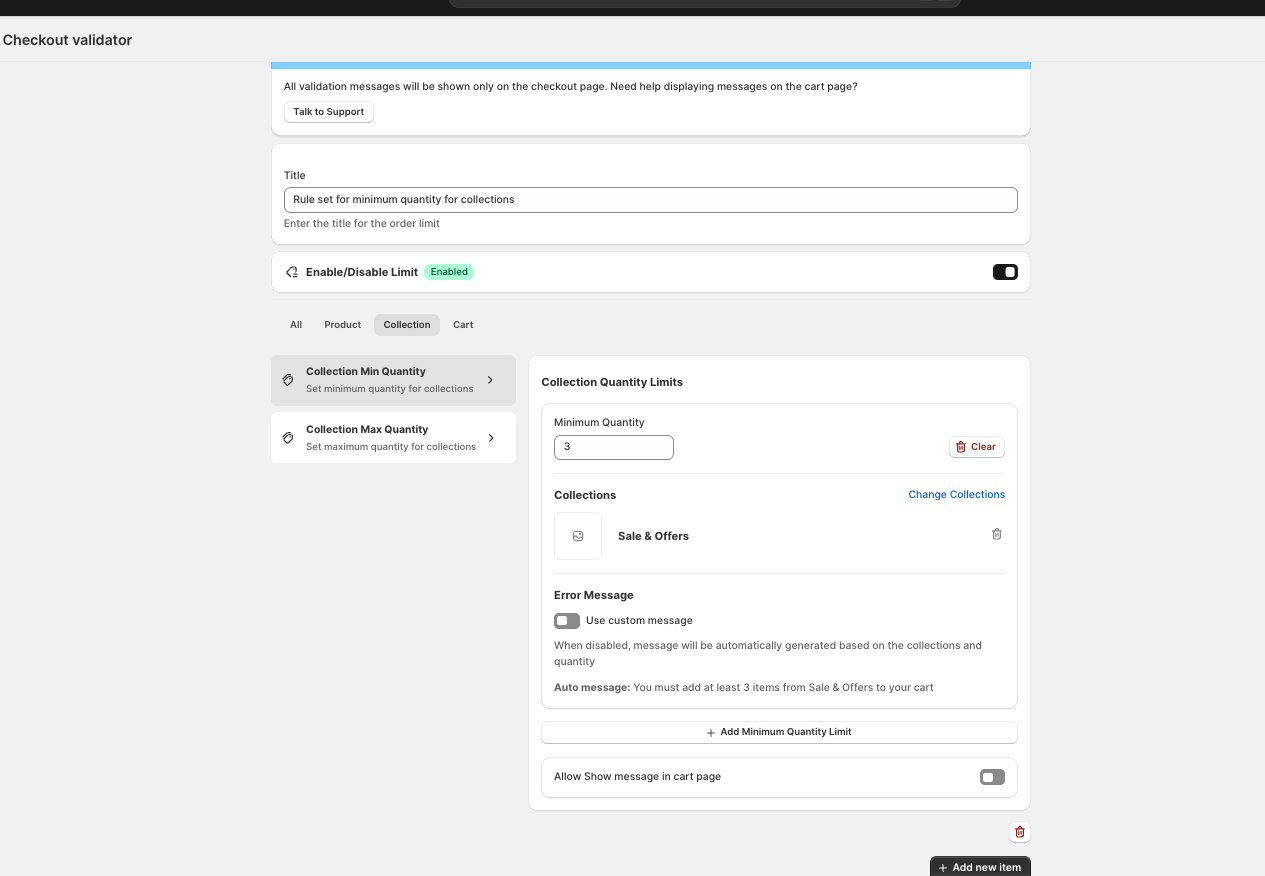
- 2 Create a maximum quantity rule.
- 3
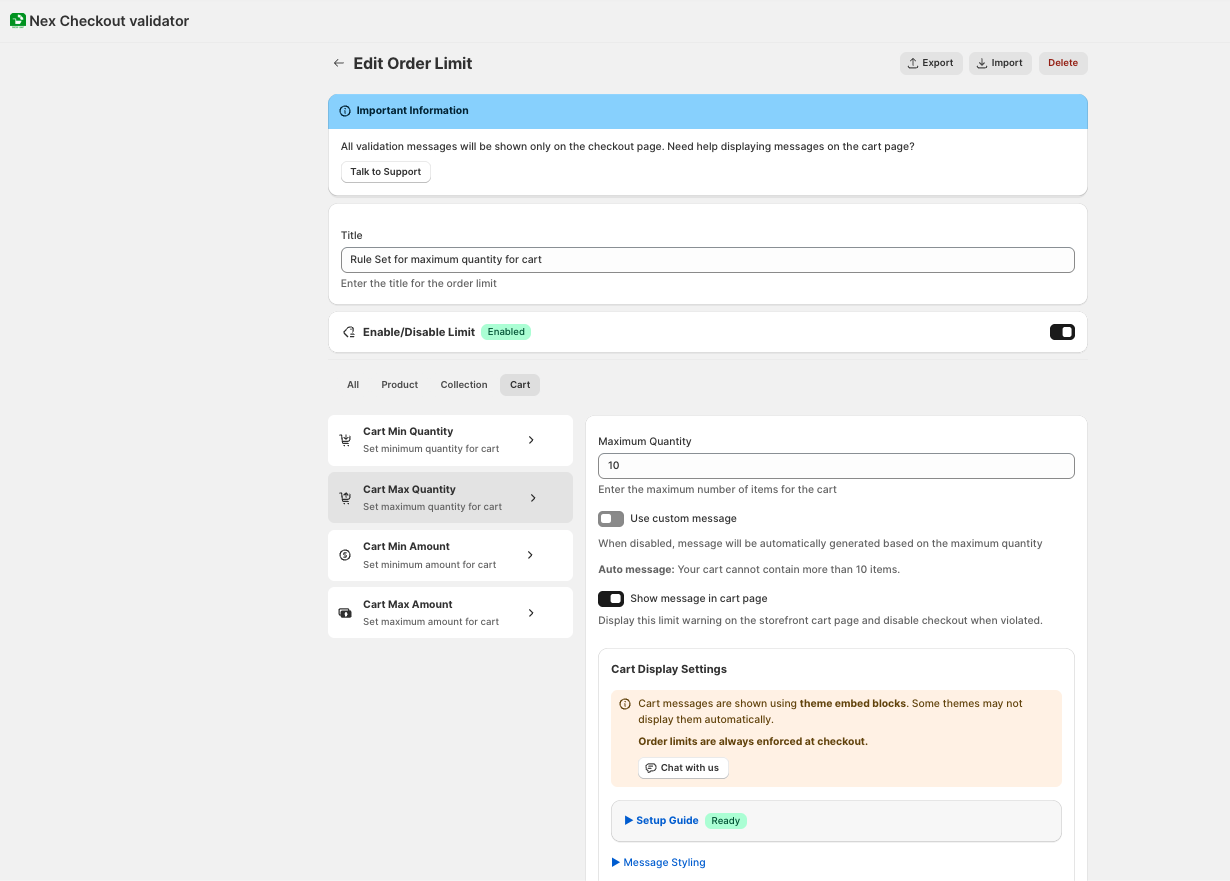
Set the scope — per product, per variant, per collection, or whole cart.
- 4
Enter the maximum — e.g., 1 per customer, 5 per product, 20 per cart.
- 5
Set conditions (optional) — apply only to products tagged “limited-edition,” a specific collection, different limits for wholesale vs retail, or by country.
- 6
Customize the message — “This item is limited to 1 per customer to ensure fair access.”
- 7
Activate — cart warning + checkout validation enforce the limit.
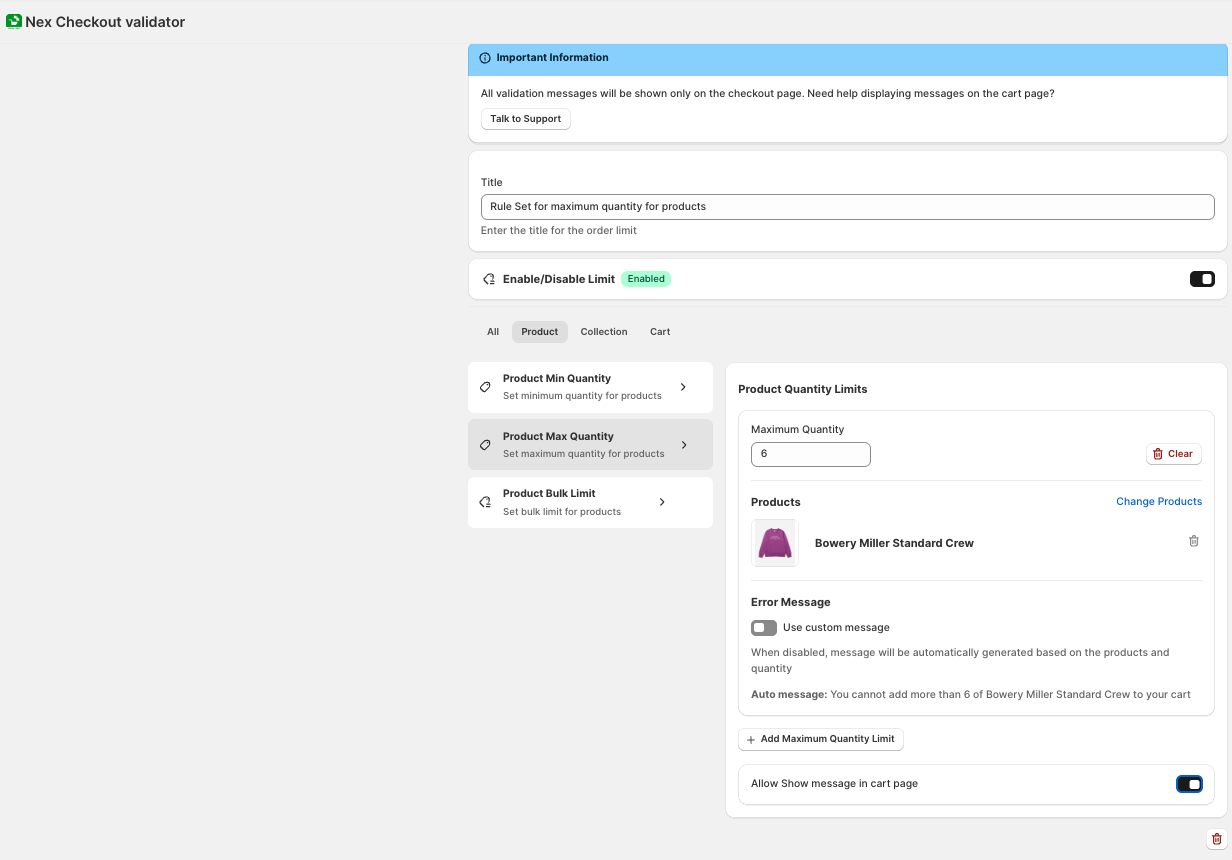
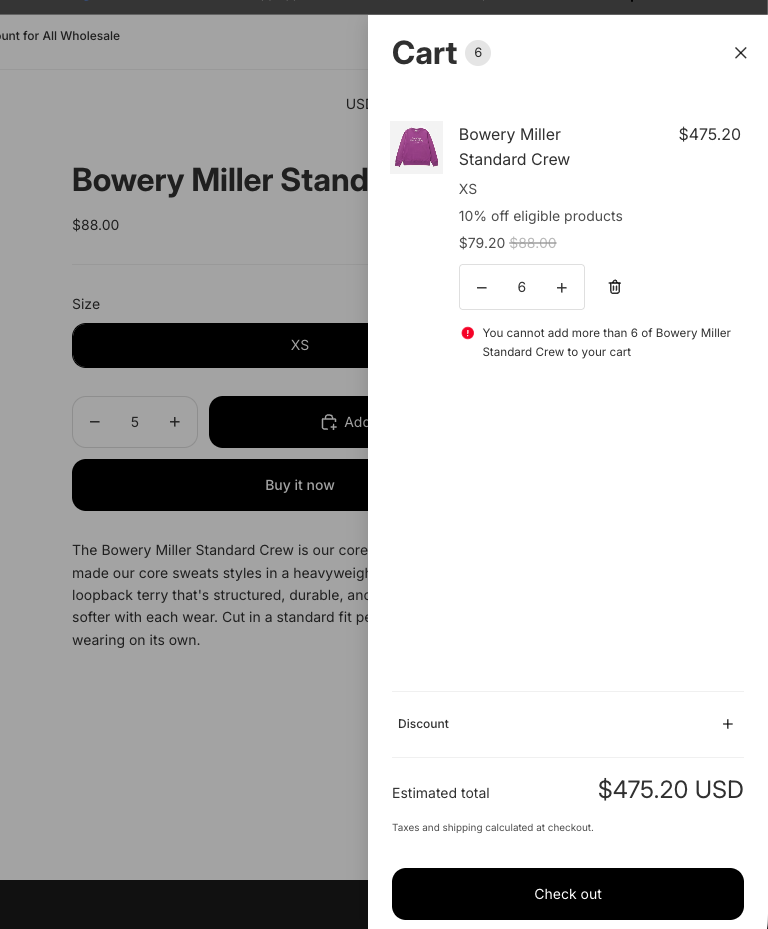
Why an app over code: Checkout validation blocks the actual payment. Cart-only JavaScript warnings can be bypassed through direct checkout, accelerated checkout, or browser manipulation.
Method 2: Shopify B2B catalog rules Plus only
Shopify’s B2B catalog system supports maximum quantity per variant. Set it in Products → Catalogs → Quantity rules. Only works for B2B customers assigned to catalogs. Requires Shopify Plus.
Method 3: Liquid code Warning only
You can add Liquid code to show a warning on the cart page if quantities exceed your limit. However, this is a visual warning only — customers can still complete checkout. Not recommended as a standalone solution.
Common maximum limit setups
One per customer (limited drop)
- Rule: Maximum 1 per product
- Scope: Collection = “Limited Edition”
- Message: “Limited to 1 per customer. Fairness for all fans.”
- Checkout validation: Blocks payment if cart contains 2+ of any limited product
Free sample limit
- Rule: Maximum 1 per product
- Scope: Products tagged “sample”
- Message: “Free samples are limited to 1 per customer.”
Reseller prevention (high-demand product)
- Rule: Maximum 3 per product
- Scope: Specific high-demand product
- Message: “This product is limited to 3 per order.”
Wholesale gets higher limits
- Rule 1: Maximum 5 per product (no customer tag — applies to retail)
- Rule 2: Maximum 100 per product (customer tag = “wholesale” — B2B gets more)
- Result: Retail customers limited to 5, wholesale can buy up to 100
Country-specific limits
- Rule: Maximum 3 per product
- Condition: Country = Canada
- Message: “Due to import regulations, this product is limited to 3 per order for Canadian shipping addresses.”
Maximum quantity vs. maximum amount
Maximum quantity = cap on number of units. Best for: limited editions, samples, preventing bulk buying.
Maximum amount = cap on dollar value. Best for: fraud prevention on high-value orders, risk management, gift card limits.
You can use both — limit quantity to 2 AND limit order total to $500 on the same rule.
What about “one per customer” (lifetime limit)?
A per-order maximum limits what a customer can buy in a single order. They could potentially place multiple orders for the same product.
True “one per customer forever” limits require tracking purchase history. Some apps offer this as “lifetime limits” — check if this is a requirement for your use case.
For most scenarios (drops, events, promotions), a per-order maximum is sufficient because the product sells out quickly.
Summary
| Method | Plan | Blocks checkout | Code needed |
|---|---|---|---|
| App (Nex MOQ) | Basic and up | ✓ Yes | No |
| B2B catalog rules | Plus (B2B) | Partially | No |
| Liquid code | Any | ✗ No (warning only) | Yes |
The key difference: checkout validation. Without it, savvy customers and bots can bypass your limits. With it, the limit is truly enforced.
Nex MOQ Team
We build order limit tools for Shopify merchants. Our guides are written by Shopify experts who help thousands of stores manage minimum and maximum order rules.