Set Maximum Cart Quantity on Shopify
Limit total items per order to prevent bulk buying and protect inventory — Limit how many total items a customer can check out with. Protect inventory during flash sales, product launches, and high-demand periods. Enforced on every checkout path.
Max 10 items in cart · Store-wide · All customers
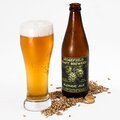
Craft Beer Variety Pack
Mixed selection
$215.88
Limit exceeded
Maximum order is 10 items. Please remove 2 items from your cart.
Why merchants need this
The challenge and how Nex MOQ solves it
Without order limits
Your flash sale goes live and three customers fill 50-item carts before anyone else loads the page. Inventory vanishes, hundreds of customers bounce, and you oversell stock you can't fulfill.
With Nex MOQ
Cap the total number of items per order across your entire store. Checkout blocks any cart that exceeds the limit — on every payment method, including Shop Pay and Apple Pay.
How to set it up
No code required. Just create a rule and activate it.
Set up basic min/max quantity or amount limits.
Create custom validations with conditions.
Enter the maximum quantity for the cart
Mixed selection
Maximum order is 10 items. Please remove 2 items from your cart.
Screenshots are for illustration purposes. Actual app interface may vary slightly.
No credit card required · Works on all Shopify plans
When to use Maximum Cart Quantity
Common scenarios merchants solve with this feature
Flash sale protection
Spread inventory across more customers instead of letting a few clear your sale
Regulated products
Comply with purchase-quantity regulations on restricted or controlled goods
Event ticketing
Limit ticket purchases per order so more fans can attend
Frequently asked questions
Common questions about maximum cart quantity
Does this limit apply to the total cart or per product?
The total cart. It counts all items together. For per-product limits, use Maximum Order Quantity instead.
Can I set different limits for different customer groups?
Yes. Use customer tag conditions to give wholesale customers a higher cap while keeping retail customers lower.
What happens if someone tries to add more items?
Items can be added to the cart, but checkout is blocked with a message telling the customer to reduce their quantity.
Related features
Explore other order limit features in Nex MOQ

Organic Face Cream
Self-care bundle
$24.99
Minimum order is 3 items. Please add 2 more items to your cart.
Minimum Cart Quantity
Require a minimum number of items in cart before customers can check out
Min 3 items in cart · Store-wide · All customers
Limited Edition Hoodie
Exclusive Drop
$449.95
This item is limited to 3 per customer. Please reduce quantity.
Maximum Order Quantity
Limit purchase quantity per customer to protect limited stock from resellers
Max 3 qty · Per product · All customers
Designer Watch
Platinum edition
$2,997.00
Maximum order amount is $500.00. Please reduce your cart total.
Maximum Order Amount
Cap maximum order value to prevent fraud and enforce spending limits
Max $500.00 cart total · Store-wide · All customers
Ready to enforce order limits?
Start your free trial. No code required. Works on all Shopify plans.

Plans from $9.99/month after free trial · Free for dev stores