Quick answer: which method should you use?
| Method | Best for | Shopify Plan | Code needed | Enforced at checkout |
|---|---|---|---|---|
| MOQ app with checkout validation | Most merchants | Basic and up | No | ✓ Yes |
| Shopify B2B catalog rules | B2B-only stores | Plus (B2B features) | No | Partially |
| Custom Liquid code | Simple single-product rules | Any | Yes | ✗ No (cart only) |
For most stores, an app with checkout validation is the right choice. It’s the only method that truly blocks checkout when rules aren’t met, works on all plans, and requires no code.
What is minimum order quantity?
There are two types of minimums:
Minimum order quantity (MOQ) — the smallest number of items a customer must buy. Example: “You must order at least 12 t-shirts.”
Minimum order amount (MOV) — the smallest dollar value an order must reach. Example: “Your order must be at least $50.”
Both can be set per product, per collection, per variant, or for the entire cart.
Method 1: Using an MOQ app Recommended
This is the recommended approach for most Shopify merchants.
Step by step with Nex Minimum Order Amount MOQ
- 1
Install the app from the Shopify App Store.
- 2
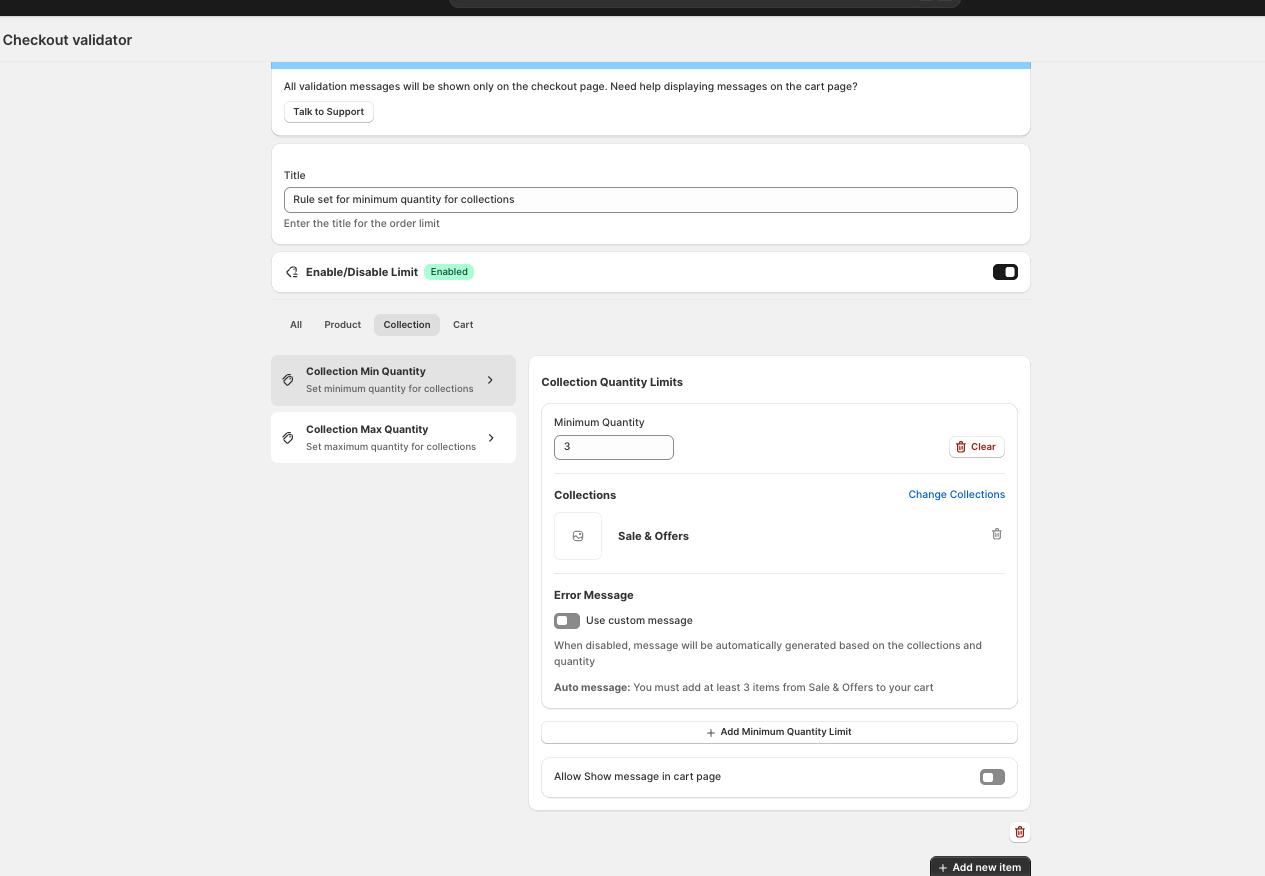
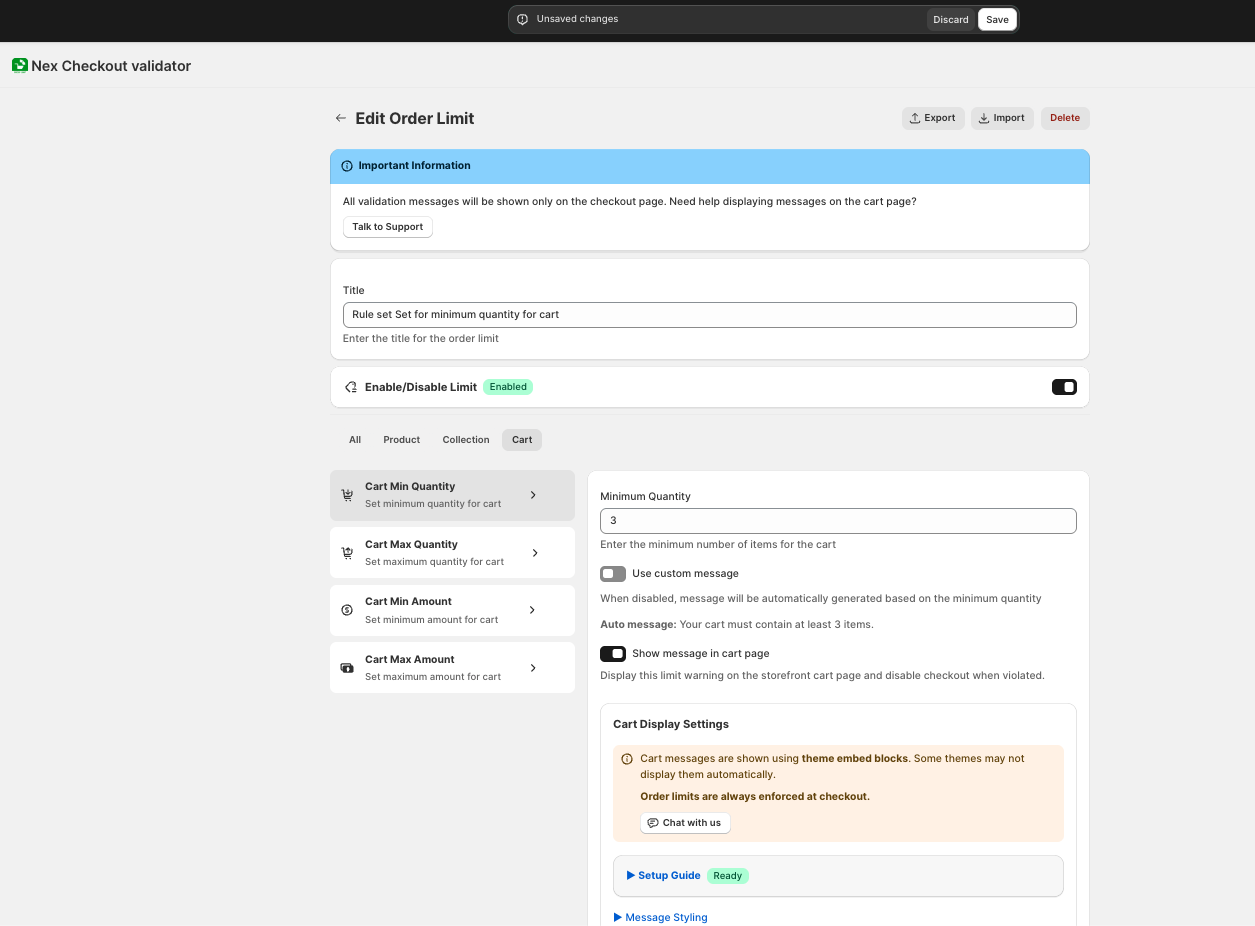
Create a new rule — choose “Minimum Quantity” or “Minimum Amount.”
- 3
Set the scope — select specific products, variants, collections, or the whole cart.
- 4
Enter the minimum — quantity (e.g., 6) or amount (e.g., $50.00).
- 5
Set conditions (optional) — customer tag = “wholesale” for B2B, country = Canada for regional, or always apply for store-wide.
- 6
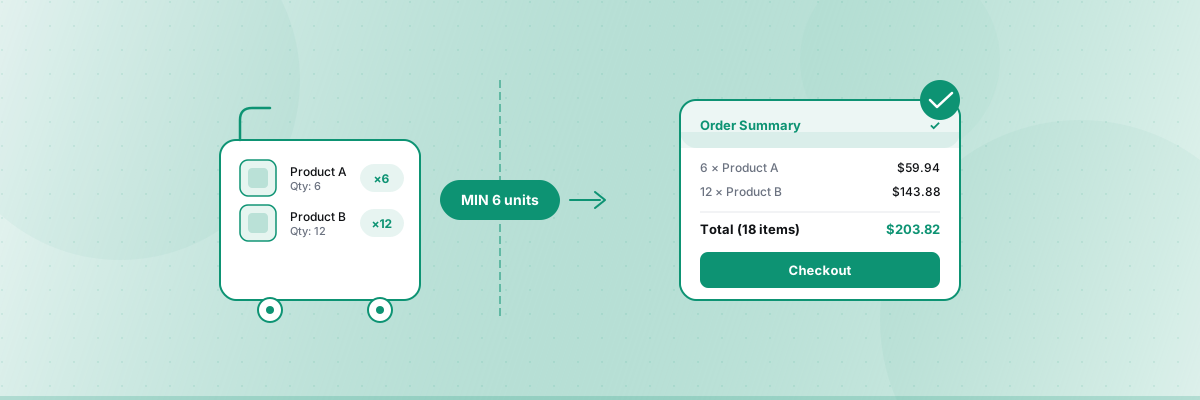
Customize the message — write what customers see. Example: “Minimum order is 6 units. Please add 2 more.”
- 7
Activate — cart warning + checkout validation are both active.
What happens when a customer doesn’t meet the MOQ
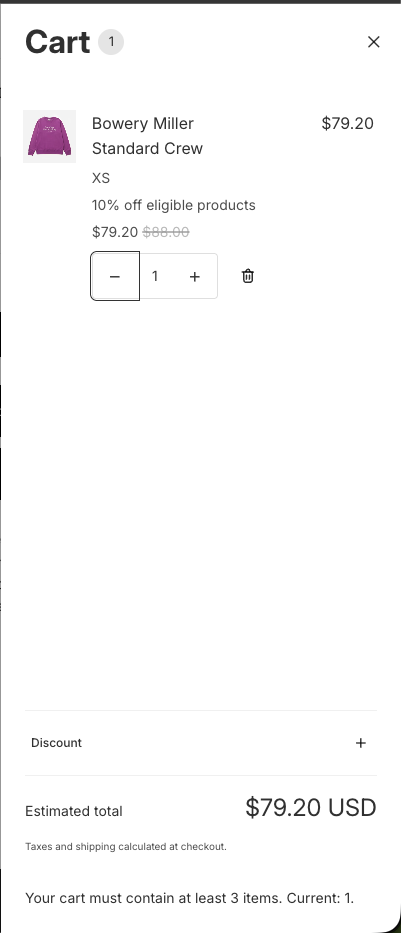
- —On the cart page: A clear message shows what they need to add.
- —At checkout: If they proceed without meeting the rule, the payment button is blocked with your custom message.
- —Customer action: They go back, add more items, and complete the order.
Why an app is recommended
- Works on all Shopify plans (Basic and up)
- No code required — set up in minutes
- Checkout validation blocks payment (cannot be bypassed)
- Cart page warning guides customers before they reach checkout
- Supports conditions like customer tags, country, product, and collection
Method 2: Shopify B2B catalog rules Plus only
If your store uses Shopify’s built-in B2B features, you can set quantity rules directly in your catalogs.
How to set up
- Go to Shopify Admin → Products → Catalogs
- Click on the catalog you want to edit
- Click Manage → Manage Products and Pricing
- Hover over the product, click + Add in the Quantity rules column
- Set the Minimum, Maximum, and Increment fields, then click Done → Save
Limitations
- Only works for B2B customers assigned to catalogs
- Does NOT work for regular D2C customers
- Rules apply per variant, not per product total (buying 5 blue + 5 red does not equal 10 of the product)
- Requires Shopify Plus or higher for full B2B features
- No custom error messages
When to use this method
Only if you have a dedicated B2B store using Shopify’s native B2B features and your MOQ needs are simple per-variant minimums.
Method 3: Custom Liquid code Cart only
You can add Liquid code to your cart template that checks quantities and shows a warning.
Basic example
Add this to your cart template (cart.liquid or cart-template.liquid):
{% assign min_quantity = 6 %}
{% assign total_quantity = 0 %}
{% for item in cart.items %}
{% assign total_quantity = total_quantity | plus: item.quantity %}
{% endfor %}

{% if total_quantity < min_quantity %}
<p class="cart-warning">
  Minimum order is {{ min_quantity }} items.
  You currently have {{ total_quantity }}.
  Please add {{ min_quantity | minus: total_quantity }} more.
</p>
{% endif %}
Serious limitations of the code approach
- Does NOT block checkout — it’s a visual warning only. Customers can still proceed to payment.
- Only works on the cart page — accelerated checkout, buy-now buttons, and direct checkout URLs bypass it completely.
- Theme-dependent — breaks when you update or change themes.
- Requires developer maintenance — any cart page change risks breaking the validation.
- No conditions — applies the same rule to everyone (no B2B vs retail differentiation).
- Per-product MOQ is very complex — requires significantly more code and is fragile.
When to use this method
Only as a temporary visual hint while you set up a proper solution. Not suitable as a standalone enforcement mechanism.
Choosing between quantity vs. amount minimums
| Your goal | Use quantity minimum | Use amount minimum |
|---|---|---|
| Require bulk purchases (cases, packs) | ✓ "Minimum 12 units" | |
| Ensure profitability per order | ✓ "Minimum $50 per order" | |
| Wholesale order requirements | ✓ or both | ✓ or both |
| Cover shipping costs | ✓ "Minimum $30 to ship" | |
| Production batch sizes | ✓ "Minimum 100 stickers" | |
| Mix of cheap + expensive products | ✓ Amount is fairer |
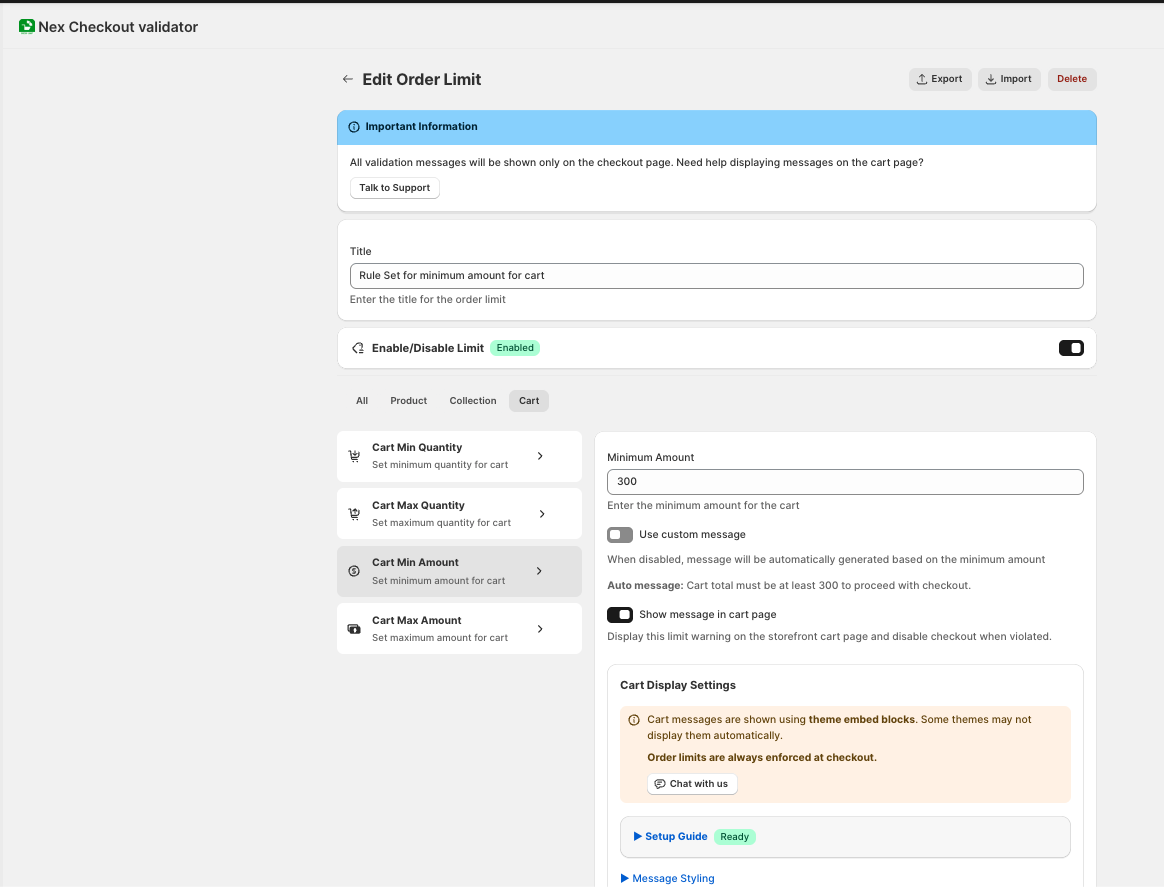
You can combine both — require a minimum of 6 units AND a minimum of $50.
Tips for implementing MOQ successfully
Display the minimum clearly on product pages.
Don’t surprise customers at checkout. Add a note like “Minimum order: 6 units” near the Add to Cart button.
Write helpful error messages.
Instead of “Rule not met,” write “You need 2 more items to reach the minimum of 6. Add to cart to continue.” Tell them exactly what to do.
Consider mobile.
Most shoppers are on mobile. Make sure your cart warning is visible on small screens.
Start with your most important rule.
Don’t create 15 rules on day one. Start with one (usually a cart-wide minimum order amount), test it, and expand.
Offer incentives at the minimum.
”Buy 6, get 10% off” makes the minimum feel like a deal rather than a restriction.
Different rules for different customers.
If you sell B2B and retail, use customer tags to set different minimums. Don’t force retail customers into wholesale minimums.
Summary
| Method | Plan | Checkout enforcement | Code | Best for |
|---|---|---|---|---|
| App (Nex MOQ) | Basic+ | ✓ Blocks payment | No | Most merchants |
| B2B catalog rules | Plus | Partial | No | B2B-only stores |
| Liquid code | Any | ✗ Warning only | Yes | Temporary hint |
The most important thing: checkout validation. A minimum order rule that can be bypassed isn’t really a rule — it’s a suggestion. Use a solution that blocks payment when the rule isn’t met.
Nex MOQ Team
We build order limit tools for Shopify merchants. Our guides are written by Shopify experts who help thousands of stores manage minimum and maximum order rules.