State-restricted products
Different limits per US state — Certain products — supplements, CBD, fireworks, or chemicals — face different regulations by state. Create separate rules per state with different quantity caps to stay within legal limits.
Max qty varies · State = CA, NY, TX...

CBD Oil 500mg
Shipping to New York
Qty: 5
$199.95
Limit exceeded
Max 2 CBD products per order in NY.
Why merchants need this
The challenge and how Nex MOQ solves it
Without order limits
CBD is legal in New York with a 2-unit limit per order, but illegal to ship in Idaho. Supplements need different limits in California vs. Texas. Managing state-by-state compliance manually is a nightmare.
With Nex MOQ
Create rules using AND conditions — State = "New York" AND Collection = "CBD" with a max of 2. Use OR to group states with identical limits — State = NY OR State = NJ — under one rule. The checkout automatically applies the correct rule.
How to set it up
No code required. Just create a rule and activate it.
Create a rule per state with type "Maximum quantity per product"
Set the state-specific quantity limit for each rule
Add the shipping state condition to each rule
Scope all rules to the same regulated product collection
No credit card required · Works on all Shopify plans
Related use cases
Explore similar scenarios merchants are solving with Nex MOQ

Premium Vape Kit
State: California
$89.97
Max 1 vaping product per order in CA.
Tobacco & nicotine limits
Comply with tobacco shipping regulations
Max 1 per product · State-level conditions
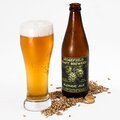
Craft Beer 6-Pack
Age-restricted
$59.96
Max 2 alcohol items per order in your state.
Age-restricted products
Limit 18+ product quantities by region
Max 2 per product · Country condition

Shipping to Canada
🇨🇦 5 items in cart
$124.95
Max 3 items for Canada. Remove 2.
Regional shipping limits
Comply with import regulations
Max 3 qty · Country = Canada
Ready to enforce order limits?
Start your free trial. No code required. Works on all Shopify plans.
Plans from $9.99/month after free trial · Free for dev stores