Vendor-specific rules
Premium brand minimums with conditions — Set minimum quantity rules for specific product vendors using AND conditions. When the product vendor is "Premium Brand" AND cart quantity is below 3, enforce a minimum — protecting brand agreements and wholesale terms.
Product vendor = "Premium Brand" AND Cart qty < 3

Premium Brand Widget
Vendor: Premium Brand
Qty: 1
$34.99
Below minimum
Min 3 for Premium Brand products. Add 2 more.
Why merchants need this
The challenge and how Nex MOQ solves it
Without order limits
Your agreement with a premium vendor requires a minimum of 3 units per order for their products. But Shopify has no native way to enforce vendor-specific order minimums.
With Nex MOQ
Create a rule with AND conditions: Product vendor = "Premium Brand" AND quantity minimum of 3. The rule only applies to that vendor's products — everything else in the cart is unaffected.
How to set it up
No code required. Just create a rule and activate it.
Create a rule with type "Minimum quantity per product"
Set the minimum to 3 units
Add condition: Product vendor equals "Premium Brand"
Only products from that vendor trigger the minimum — others are unrestricted
No credit card required · Works on all Shopify plans
Related use cases
Explore similar scenarios merchants are solving with Nex MOQ
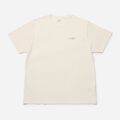
Custom Screen Print Tee
Per product
$79.96
Min batch is 12 units. Add 8 more.
Production batch sizes
Enforce manufacturing minimums
Min 12 qty per product
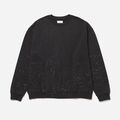
Custom Phone Case
Red: 2, Blue: 1, Black: 1
$59.96
Min 6 across all variants. Add 2 more.
Custom product minimums
Make small batches profitable
Min 6 qty across all variants

Sticker Pack
1 item
$4.99
Min $30 cart total. Add $25.01 more.
Profitability threshold
Eliminate money-losing orders
Min $30 cart amount
Ready to enforce order limits?
Start your free trial. No code required. Works on all Shopify plans.
Plans from $9.99/month after free trial · Free for dev stores