B2B tiered minimums
Different minimums per wholesale tier — Create separate rules for each wholesale tier — Silver ($250 min), Gold ($500 min), and Platinum ($1,000 min). Each rule targets a different customer tag so every tier gets the right threshold.
3 rules: $250 / $500 / $1,000 by customer tag
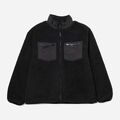
Gold Tier Cart
Tag: wholesale-gold
$380.00
Below minimum
Gold tier min is $500. Add $120 more.
Why merchants need this
The challenge and how Nex MOQ solves it
Without order limits
Not all wholesale customers deserve the same minimum. A small retailer ordering $250 worth shouldn't face the same $1,000 threshold as a large distributor. One-size-fits-all minimums push smaller buyers away.
With Nex MOQ
Create multiple rules in Nex MOQ — one per tier. Each rule uses AND conditions to target a customer tag (wholesale-silver, wholesale-gold, wholesale-platinum) combined with the tier's minimum amount. Use OR conditions to group similar tiers. Customers only see the rule that matches their tag.
How to set it up
No code required. Just create a rule and activate it.
Create three separate rules, one for each tier
Set Silver to $250 min with tag "wholesale-silver"
Set Gold to $500 min with tag "wholesale-gold"
Set Platinum to $1,000 min with tag "wholesale-platinum"
No credit card required · Works on all Shopify plans
Related use cases
Explore similar scenarios merchants are solving with Nex MOQ
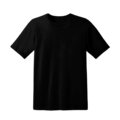
Bulk T-Shirt Order
Tag: wholesale
$320.00
Min order is $500. Add $180 more.
Wholesale minimum orders
Require $500+ for B2B buyers
Min $500 cart · Customer tag = "wholesale"
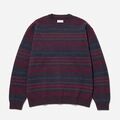
Seasonal Collection
Tag: wholesale
$145.00
Min $200 for Seasonal. Add $55 more.
Wholesale collection minimums
Minimum spend per product category
Min $200 · Collection = "Seasonal" · Tag = "wholesale"
VIP Order
Tag: VIP
$45.00
✓ VIP — minimum waived
VIP customer benefits
Skip minimums for VIPs or big spenders
Customer tag = "VIP" OR Order amount > $500
Ready to enforce order limits?
Start your free trial. No code required. Works on all Shopify plans.

Plans from $9.99/month after free trial · Free for dev stores