VIP customer benefits
Skip minimums for VIPs or big spenders — Use OR conditions to exempt VIP customers from minimum order rules. If a customer has the "VIP" tag OR their order amount exceeds $500, skip the minimum — rewarding loyalty and high-value orders.
Customer tag = "VIP" OR Order amount > $500
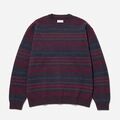
VIP Order
Tag: VIP
1 item
$45.00
Below minimum
✓ VIP — minimum waived
Why merchants need this
The challenge and how Nex MOQ solves it
Without order limits
Your store has a $100 minimum order, but VIP customers and big spenders shouldn't be restricted. Manually managing exceptions per customer is impossible at scale.
With Nex MOQ
Create a rule with OR conditions: Customer tag = "VIP" OR Order amount > $500. When either condition is true, the minimum is bypassed. Regular customers still see the minimum — VIPs and high-value orders checkout freely.
How to set it up
No code required. Just create a rule and activate it.
Create a rule with type "Minimum cart amount"
Set the minimum to $100 (your standard threshold)
Add an exemption condition: Customer tag equals "VIP"
Add OR condition: Order amount greater than $500 — either condition bypasses the minimum
No credit card required · Works on all Shopify plans
Related use cases
Explore similar scenarios merchants are solving with Nex MOQ
Bulk T-Shirt Order
Tag: wholesale
$320.00
Min order is $500. Add $180 more.
Wholesale minimum orders
Require $500+ for B2B buyers
Min $500 cart · Customer tag = "wholesale"
Gold Tier Cart
Tag: wholesale-gold
$380.00
Gold tier min is $500. Add $120 more.
B2B tiered minimums
Different minimums per wholesale tier
3 rules: $250 / $500 / $1,000 by customer tag
Wholesale Bulk Order
Tag: wholesale
$420.00
Wholesale orders require $500+. Add $80 more.
Customer tag-based ordering
Wholesale tags + cart total combined
Customer tag = "wholesale" AND Cart total > $500
Ready to enforce order limits?
Start your free trial. No code required. Works on all Shopify plans.

Plans from $9.99/month after free trial · Free for dev stores